Controlling Who Sees What
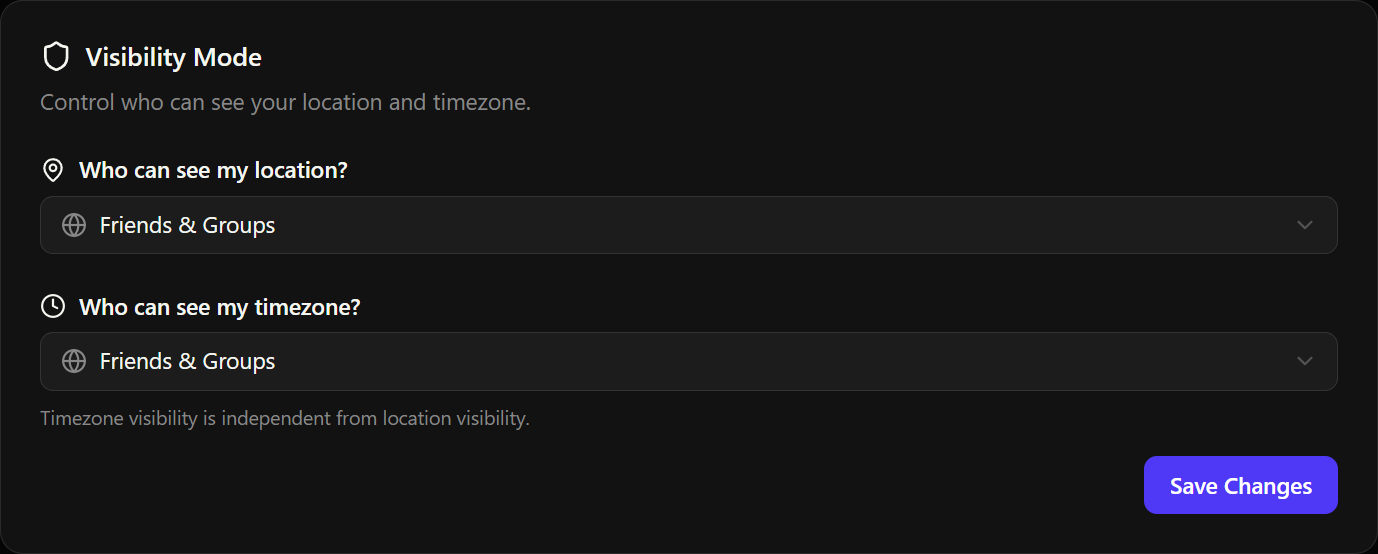
Tsukimi gives you two independent visibility controls so you can share exactly what you're comfortable with.
Location visibility
Controls who can see your location on the Map and Friends list:
| Setting | Who can see |
|---|---|
| Hidden | Nobody can see your location |
| Friends Only | Only your accepted friends |
| Friends & Groups | Friends and members of your groups |
Timezone visibility
Controls who can see your timezone and local time on the Dashboard and Friends list:
| Setting | Who can see |
|---|---|
| Hidden | Nobody can see your timezone |
| Friends Only | Only your accepted friends |
| Friends & Groups | Friends and members of your groups |
Privacy warnings
Tsukimi is smart about privacy overlaps. You may see warnings like:
- "Your location may allow users to infer your timezone" if your location is visible at city, district, region, or country precision but your timezone is set to hidden. Someone could still guess your timezone from your location.
- "Your timezone may suggest your general region" if your timezone is visible but location is hidden. A timezone like "America/Chicago" narrows down your general area.
These warnings are informational. They help you make informed decisions about your privacy settings.
Where to change these
Go to Settings > Privacy > Visibility Mode to update both settings.